fastai - Lesson 7 - Deep Learning for Coders (2020)
Notes taken from the Deep Learning for Coders (2020) - Lesson 7 video
Notes taken from watching the Lesson 7 - Deep Learning for Coders (2020) video.
In [1]:
!pip install git+https://github.com/fastai/fastai.git &> /dev/null
In [2]:
from fastai.collab import *
from fastai.tabular.all import *
import pandas as pd

path = untar_data(URLs.ML_100k)

ratings = pd.read_csv(
    path/'u.data', delimiter='\t', header=None,
    names=['user', 'movie', 'rating', 'timestamp'])
movies = pd.read_csv(
    path/'u.item', delimiter='|', encoding='latin-1',
    usecols=(0, 1), names=('movie', 'title'), header=None)
ratings = ratings.merge(movies)

dls = CollabDataLoaders.from_df(ratings, item_name='title', bs=64)

n_users = len(dls.classes['user'])
n_movies = len(dls.classes['title'])

class DotProductBias(Module):
    def __init__(self, n_users, n_movies, n_factors, y_range=(0, 5.5)):
        self.user_factors = Embedding(n_users, n_factors)
        self.user_bias = Embedding(n_users, 1)

        self.movie_factors = Embedding(n_movies, n_factors)
        self.movie_bias = Embedding(n_movies, 1)

        self.y_range = y_range

    def forward(self, x):
        users = self.user_factors(x[:,0])
        movies = self.movie_factors(x[:, 1])
        res = (users * movies).sum(dim=1, keepdim=True)
        res += self.user_bias(x[:,0]) + self.movie_bias(x[:,1])
        return sigmoid_range(res, *self.y_range)

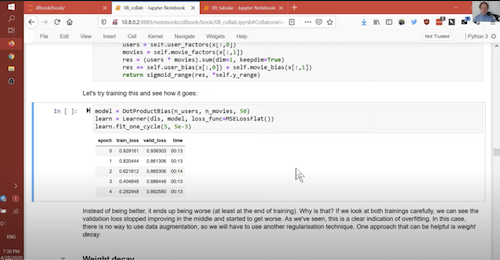
model = DotProductBias(n_users, n_movies, 50)
learn = Learner(dls, model, loss_func=MSELossFlat())
learn.fit_one_cycle(5, 5e-3)
| epoch | train_loss | valid_loss | time |
|---|---|---|---|
| 0 | 0.947165 | 0.930747 | 00:09 |
| 1 | 0.823398 | 0.861059 | 00:07 |
| 2 | 0.602876 | 0.860865 | 00:07 |
| 3 | 0.393528 | 0.884714 | 00:07 |
| 4 | 0.275008 | 0.891144 | 00:07 |
00:00:00 - Weight decay
- Issue from last lesson: loss started to go down then up again.
- We're overfitting.
- Note that we don't need a metric because mean-squared error is close enough to what we care about.
- We reduce overfitting by reducing the capacity of the model
- Ensure it doesn't memorise the dataset.
- Reducing params does bias model towards simple shapes.
- Instead, force params to be smaller, unless they need to be big.
- Weight decay, also known as L2 regularisation, adds the sum of all params squared to loss.
- Tries to encourage weights to be as small as possible: loss function is incentivised to keep weights small.
- Can simply add the weights to the loss function:
loss_with_wd = loss + wd * (parameters ** 2).sum()
- Since the loss function is used to take the gradient, and we know the derivative of
p**2with respect topis2*p, we can just update the gradients:
weight.grad += wd * 2 * weight
- In fastai, you can just pass
wdamount to the fit call:
In [3]:
model = DotProductBias(n_users, n_movies, 50)
learn = Learner(dls, model, loss_func=MSELossFlat())
learn.fit_one_cycle(5, 5e-3, wd=0.1)
| epoch | train_loss | valid_loss | time |
|---|---|---|---|
| 0 | 0.952407 | 0.954321 | 00:07 |
| 1 | 0.845610 | 0.875941 | 00:07 |
| 2 | 0.737699 | 0.834738 | 00:08 |
| 3 | 0.594368 | 0.819223 | 00:07 |
| 4 | 0.481654 | 0.820020 | 00:07 |
- Modern deep learning we prefer weight decay vs simplier models.
00:07:10 - Writing our own embedddings layer
- To create our own layer, it needs to inherit from
nn.Module - We can get a list of parameters using the
parameters()method.- To ensure something in a module needs to be learned, you wrap in
nn.Parameter
- To ensure something in a module needs to be learned, you wrap in
In [4]:
class T(Module):
    def __init__(self):
        self.a = nn.Parameter(torch.ones(3))

L(T().parameters())
Out[4]:
(#1) [Parameter containing:
tensor([1., 1., 1.], requires_grad=True)]
- Create a randomly initialised tensor as param:
In [5]:
def create_params(size):
    return nn.Parameter(torch.zeros(*size).normal_(0, 0.01))
In [6]:
class DotProductBias(Module):
    def __init__(self, n_users, n_movies, n_factors, y_range=(0, 5.5)):
        self.user_factors = create_params([n_users, n_factors])
        self.user_bias = create_params([n_users])

        self.movie_factors = create_params([n_movies, n_factors])
        self.movie_bias = create_params([n_movies])

        self.y_range = y_range

    def forward(self, x):
        users = self.user_factors[x[:,0]]
        movies = self.movie_factors[x[:, 1]]
        res = (users * movies).sum(dim=1)
        res += self.user_bias[x[:,0]] + self.movie_bias[x[:,1]]
        return sigmoid_range(res, *self.y_range)
In [7]:
model = DotProductBias(n_users, n_movies, 50)
learn = Learner(dls, model, loss_func=MSELossFlat())
learn.fit_one_cycle(5, 5e-3, wd=0.1)
| epoch | train_loss | valid_loss | time |
|---|---|---|---|
| 0 | 0.929160 | 0.947257 | 00:06 |
| 1 | 0.821899 | 0.868087 | 00:06 |
| 2 | 0.718155 | 0.830080 | 00:07 |
| 3 | 0.581698 | 0.820761 | 00:07 |
| 4 | 0.469228 | 0.822052 | 00:07 |
00:12:31 - Interpreting embeddings and biases
- You can call
learn.modelto get model in learner. - We can interpret bias initially.
- Start by printing movie with smallest bias.
In [8]:
movie_bias = learn.model.movie_bias.squeeze()
idxs = movie_bias.argsort()[:15]
[dls.classes['title'][i] for i in idxs]
Out[8]:
['Children of the Corn: The Gathering (1996)',
 'Lawnmower Man 2: Beyond Cyberspace (1996)',
 'Big Bully (1996)',
 'Mortal Kombat: Annihilation (1997)',
 '3 Ninjas: High Noon At Mega Mountain (1998)',
 'Bio-Dome (1996)',
 'Grease 2 (1982)',
 'Robocop 3 (1993)',
 'Leave It to Beaver (1997)',
 'Island of Dr. Moreau, The (1996)',
 'Hellraiser: Bloodline (1996)',
 'Bad Girls (1994)',
 'Tales from the Crypt Presents: Bordello of Blood (1996)',
 'Ed (1996)',
 'Amityville: A New Generation (1993)']
- These are the movies that people liked the least. Even people that like this genre didn't like the movie.
- Can do the opposite:
In [9]:
idxs = movie_bias.argsort(descending=True)[:15]
[dls.classes['title'][i] for i in idxs]
Out[9]:
['Titanic (1997)',
 'As Good As It Gets (1997)',
 "Schindler's List (1993)",
 'Shawshank Redemption, The (1994)',
 "One Flew Over the Cuckoo's Nest (1975)",
 'Star Wars (1977)',
 'Silence of the Lambs, The (1991)',
 'Apt Pupil (1998)',
 'Close Shave, A (1995)',
 'Good Will Hunting (1997)',
 'Wrong Trousers, The (1993)',
 'L.A. Confidential (1997)',
 'To Kill a Mockingbird (1962)',
 'Rear Window (1954)',
 'Fugitive, The (1993)']
- Even people who don't like the genre still liked the movie, generally.
- Can also use PCA analysis to reduce factors down to 2. Which lets us plot them:
In [10]:
g = ratings.groupby('title')['rating'].count()
top_movies = g.sort_values(ascending=False).index.values[:1000]
top_idxs = tensor([learn.dls.classes['title'].o2i[m] for m in top_movies])
movie_w = learn.model.movie_factors[top_idxs].cpu().detach()
movie_pca = movie_w.pca(3)
fac0,fac1,fac2 = movie_pca.t()
idxs = np.random.choice(len(top_movies), 50, replace=False)
idxs = list(range(50))
X = fac0[idxs]
Y = fac2[idxs]
plt.figure(figsize=(12,12))
plt.scatter(X, Y)
for i, x, y in zip(top_movies[idxs], X, Y):
    plt.text(x, y, i, color=np.random.rand(3) * 0.7, fontsize=11)
plt.show()

- Can see that there's different clusters of movies.
00:16:20 - Using collab_learner
collab_learnerwraps up all the functionality above in a single function.
In [11]:
learn = collab_learner(dls, n_factors=50, y_range=(0, 5.5))
learn.fit_one_cycle(5, 5e-3, wd=0.1)
| epoch | train_loss | valid_loss | time |
|---|---|---|---|
| 0 | 0.913675 | 0.951781 | 00:08 |
| 1 | 0.838763 | 0.877814 | 00:07 |
| 2 | 0.716968 | 0.835209 | 00:09 |
| 3 | 0.586227 | 0.820372 | 00:07 |
| 4 | 0.496024 | 0.820858 | 00:09 |
- Can see the names of layers by printing model:
In [12]:
learn.model
Out[12]:
EmbeddingDotBias(
  (u_weight): Embedding(944, 50)
  (i_weight): Embedding(1665, 50)
  (u_bias): Embedding(944, 1)
  (i_bias): Embedding(1665, 1)
)
00:17:37 - Embedding distance
- Can calculate the distance between 2 coordinates using cosign similarity.
- Then, find the movies that are most similar to another movie:
In [13]:
movie_factors = learn.model.i_weight.weight
idx = dls.classes['title'].o2i['Godfather, The (1972)']
distances = nn.CosineSimilarity(dim=1)(movie_factors, movie_factors[idx][None])
idx = distances.argsort(descending=True)[:5]
dls.classes['title'][idx]
Out[13]:
(#5) ['Godfather, The (1972)','Godfather: Part II, The (1974)','When We Were Kings (1996)','Bonnie and Clyde (1967)','Lawrence of Arabia (1962)']
00:19:53 - Collab filtering with NN
- Could put item and movie factors into a tensor, then feed into neural network.
- fastai has a function
get_emb_szthat gives you recommended sizes for your data:
In [14]:
embs = get_emb_sz(dls)
embs
Out[14]:
[(944, 74), (1665, 102)]
In [15]:
class CollabNN(Module):
    def __init__(self, user_sz, item_sz, y_range=(0, 5.5), n_act=100):
        self.user_factors = Embedding(*user_sz)
        self.item_factors = Embedding(*item_sz)
        self.layers = nn.Sequential(
            nn.Linear(user_sz[1] + item_sz[1], n_act),
            nn.ReLU(),
            nn.Linear(n_act, 1))
        self.y_range = y_range

    def forward(self, x):
        embs = self.user_factors(x[:,0]), self.item_factors(x[:,1])
        x = self.layers(torch.cat(embs, dim=1))
        return sigmoid_range(x, *self.y_range)
In [16]:
model = CollabNN(*embs)
In [17]:
learn = Learner(dls, model, loss_func=MSELossFlat())
learn.fit_one_cycle(5, 5e-3, wd=0.1)
| epoch | train_loss | valid_loss | time |
|---|---|---|---|
| 0 | 0.981711 | 0.950668 | 00:08 |
| 1 | 0.887367 | 0.910555 | 00:09 |
| 2 | 0.877503 | 0.883071 | 00:08 |
| 3 | 0.866312 | 0.865463 | 00:08 |
| 4 | 0.796303 | 0.867357 | 00:08 |
- Though model isn't as good, it does allow us flexibility to have different embedding sizes for movies or user.
- Same can be achieved with
collab_learnerfunction usinguse_nn=Trueargument:
In [18]:
learn = collab_learner(dls, use_nn=True, y_range=(0, 5.5), layers=[100, 50])
learn.fit_one_cycle(5, 5e-3, wd=0.1)
| epoch | train_loss | valid_loss | time |
|---|---|---|---|
| 0 | 0.985896 | 0.977544 | 00:10 |
| 1 | 0.905485 | 0.937513 | 00:10 |
| 2 | 0.851978 | 0.888632 | 00:10 |
| 3 | 0.826538 | 0.864366 | 00:10 |
| 4 | 0.771533 | 0.863534 | 00:10 |
- The
EmbeddingNNmodel used in collab_learner is only 1 line of code, as it inherits fromTabularModel
In [1]:
!pip install git+https://github.com/fastai/fastai.git &> /dev/null
In [2]:
from fastai.tabular.all import *
from sklearn.ensemble import RandomForestRegressor
from sklearn.tree import DecisionTreeRegressor
00:24:05 - Embeddings for any categorical variable
- Embeddings can handle any type of discrete categorical data: sex, postcode
- Number of "discrete levels" is called cardinality.
00:25:01 - Rossman sales competition
- Kaggle competition to predict how many things on each day would be sold.
- One of gold medalisted used Deep Learning: one of the first examples of it in the wild.
- Wrote a paper: Entity Embeddings of Categorical Variables
- In the paper, they explored the embedding matrix for regions in Germany and found that mapping the embeddings to 2d space, turn out to resemble a map of Germany
- They also compared the distance between stores and the embedding distance between stores, and found a strong correlation.
- Similar for days of week and months of year.
00:28:55 - Embeddings at Google Play
- Google wrote a paper called Wide & Deep Learning for Recommender Systems which utilised embeddings, as well as continuous features like Age, App installs, engagement sessions.
- They also performed cross product transformation on the user installed apps and app the user has has impressions for.
00:30:06 - Other approaches to tabular data
- Deep Learning isn't always the best approach for tabular data.
- An alternative is ensembles of decisions trees (Random Forest and Gradient Boosting Machines)
- Usually you'll want to "try both"
00:31:29 - Question: why does y_range go from 0 to 5.5 (instead of 5)?
- Because Sigmoid function will never reach exactly 5 as it asymptotes. To predict 5, you'll need a number bigger than it.
00:32:06 - Question: are embeddings used only for high cardinal variables?
- They can be used for any cardinal variable with 2 or more levels.
00:33:03 - Decision Tree ensembles
- The technology has some useful tools for interpreting data and tend to require less hyperparam tuning.
- Jeremy's first approach is to start with a random forest, unless it's high cardinality data.
00:34:50 - Scikit-learn
- Popular library for creating non-deep learning ML models.
- Refered to as sklearn
- Wes McKinney's book has more about Scikit Learn.
00:35:30 - Blue Book for Bulldozer's Kaggle competition
- Goal to predict the sale price of heavy equipment.
- Kaggle competitions provide interesting datasets, good feedback, leaderbords and blog posts that share teaching.
00:37:02 - Exploring the dataset
- Can download Kaggle data using the API, however, in this example I have it attached to the kernel.
- The main table is
train.csv - Contains:
SalesID- unique id of saleMachineID- unique id of machinesaleprice- what machine sold at auctionsaledate- date of the sale.
In [3]:
df = pd.read_csv('../input/bluebook-for-bulldozers/TrainAndValid.csv', low_memory=False)
In [4]:
df.columns
Out[4]:
Index(['SalesID', 'SalePrice', 'MachineID', 'ModelID', 'datasource',
       'auctioneerID', 'YearMade', 'MachineHoursCurrentMeter', 'UsageBand',
       'saledate', 'fiModelDesc', 'fiBaseModel', 'fiSecondaryDesc',
       'fiModelSeries', 'fiModelDescriptor', 'ProductSize',
       'fiProductClassDesc', 'state', 'ProductGroup', 'ProductGroupDesc',
       'Drive_System', 'Enclosure', 'Forks', 'Pad_Type', 'Ride_Control',
       'Stick', 'Transmission', 'Turbocharged', 'Blade_Extension',
       'Blade_Width', 'Enclosure_Type', 'Engine_Horsepower', 'Hydraulics',
       'Pushblock', 'Ripper', 'Scarifier', 'Tip_Control', 'Tire_Size',
       'Coupler', 'Coupler_System', 'Grouser_Tracks', 'Hydraulics_Flow',
       'Track_Type', 'Undercarriage_Pad_Width', 'Stick_Length', 'Thumb',
       'Pattern_Changer', 'Grouser_Type', 'Backhoe_Mounting', 'Blade_Type',
       'Travel_Controls', 'Differential_Type', 'Steering_Controls'],
      dtype='object')
- First thing to look at is ordinal columns. Things you know are discrete values that have an order.
- Can tell Pandas about suitable ordering with categorical values with
ordered=True
In [5]:
df.ProductSize.unique()
Out[5]:
array([nan, 'Medium', 'Small', 'Large / Medium', 'Mini', 'Large',
       'Compact'], dtype=object)
In [6]:
sizes = 'Large', 'Large / Medium', 'Medium', 'Small', 'Mini', 'Compact'
In [7]:
df['ProductSize'] = df.ProductSize.astype('category')
df['ProductSize'].cat.set_categories(sizes, ordered=True, inplace=True)
- Need to set dependant variable, which is the log of the sale price.
In [8]:
dep_var = 'SalePrice'
df[dep_var] = np.log(df[dep_var])
00:40:14 - Understanding Decision Trees
- Decision Trees asks a series of binary (yes/no) questions about data.
- Since we don't know what binary questions to ask, we need to find a way to automate that.
- Simple procedure for doing it:
- Loop through each column of dataset
- For each column, loop through each possible level (ie item in category)
- Split data into 2 groups, based on if less/greater than value or equal or not equal if categorical.
- Find the average sale price for each group and see how close to actual label.
- After looping through all columns and levels, find split point that gives best predictions.
- For each dataset in the split point, perform steps 1-5.
- Continue until you reach a stopping criteria - like when a group only has 20 items in it.
00:44:57 - Handling dates
- To take advantage of dates, fastai's
add_datepartfunction expands date columns into more columns.- An example of [[Feature Engineering]]
In [9]:
df = add_datepart(df, 'saledate')
In [10]:
df_test = pd.read_csv('../input/bluebook-for-bulldozers/Test.csv', low_memory=False)
df_test = add_datepart(df_test, 'saledate')
In [11]:
' '.join(o for o in df.columns if o.startswith('sale'))
Out[11]:
'saleYear saleMonth saleWeek saleDay saleDayofweek saleDayofyear saleIs_month_end saleIs_month_start saleIs_quarter_end saleIs_quarter_start saleIs_year_end saleIs_year_start saleElapsed'
00:45:58 - Cleaning strings and missing data
- Two
TabularProcs are used:CategorifyandFillMissing- Like a
Transformbut with 2 differences:- Modifies object in-place to save memory
- Runs transform once when data is first passed in
- Like a
Categorifyreplaces column with numerical categorical column.FillMissing- addis_missing=Trueas separate column and settings missing values to the mean.
In [12]:
procs = [Categorify, FillMissing]
00:47:31 - Validation set for time series
- Since it's a timeseries, a random validation set isn't going to be approriate.
- You'll want to use the model in the future: not a date in the past.
- Test set is 2 weeks of data after the data in training set.
- We should therefore do the same for valid (make last couple of weeks of data).
In [13]:
cond = (df.saleYear<2011) | (df.saleMonth<10)
train_idx = np.where(cond)[0]
valid_idx = np.where(~cond)[0]

splits= (list(train_idx), list(valid_idx))
00:48:46 - Data processing continued
- Separate continuous and categorical variables:
cont_cat_splitdoes this for you
In [14]:
cont, cat = cont_cat_split(df, 1, dep_var=dep_var)
TabularPandasbehaves like fastaiDatasetsobject:
In [15]:
to = TabularPandas(df, procs, cat, cont, y_names=dep_var, splits=splits)
In [16]:
len(to.train), len(to.valid)
Out[16]:
(404710, 7988)
In [17]:
to.show(3)
| UsageBand | fiModelDesc | fiBaseModel | fiSecondaryDesc | fiModelSeries | fiModelDescriptor | ProductSize | fiProductClassDesc | state | ProductGroup | ProductGroupDesc | Drive_System | Enclosure | Forks | Pad_Type | Ride_Control | Stick | Transmission | Turbocharged | Blade_Extension | Blade_Width | Enclosure_Type | Engine_Horsepower | Hydraulics | Pushblock | Ripper | Scarifier | Tip_Control | Tire_Size | Coupler | Coupler_System | Grouser_Tracks | Hydraulics_Flow | Track_Type | Undercarriage_Pad_Width | Stick_Length | Thumb | Pattern_Changer | Grouser_Type | Backhoe_Mounting | Blade_Type | Travel_Controls | Differential_Type | Steering_Controls | saleIs_month_end | saleIs_month_start | saleIs_quarter_end | saleIs_quarter_start | saleIs_year_end | saleIs_year_start | auctioneerID_na | MachineHoursCurrentMeter_na | SalesID | MachineID | ModelID | datasource | auctioneerID | YearMade | MachineHoursCurrentMeter | saleYear | saleMonth | saleWeek | saleDay | saleDayofweek | saleDayofyear | saleElapsed | SalePrice | |
|---|---|---|---|---|---|---|---|---|---|---|---|---|---|---|---|---|---|---|---|---|---|---|---|---|---|---|---|---|---|---|---|---|---|---|---|---|---|---|---|---|---|---|---|---|---|---|---|---|---|---|---|---|---|---|---|---|---|---|---|---|---|---|---|---|---|---|---|
| 0 | Low | 521D | 521 | D | #na# | #na# | #na# | Wheel Loader - 110.0 to 120.0 Horsepower | Alabama | WL | Wheel Loader | #na# | EROPS w AC | None or Unspecified | #na# | None or Unspecified | #na# | #na# | #na# | #na# | #na# | #na# | #na# | 2 Valve | #na# | #na# | #na# | #na# | None or Unspecified | None or Unspecified | #na# | #na# | #na# | #na# | #na# | #na# | #na# | #na# | #na# | #na# | #na# | #na# | Standard | Conventional | False | False | False | False | False | False | False | False | 1139246 | 999089 | 3157 | 121 | 3.0 | 2004 | 68.0 | 2006 | 11 | 46 | 16 | 3 | 320 | 1.163635e+09 | 11.097410 |
| 1 | Low | 950FII | 950 | F | II | #na# | Medium | Wheel Loader - 150.0 to 175.0 Horsepower | North Carolina | WL | Wheel Loader | #na# | EROPS w AC | None or Unspecified | #na# | None or Unspecified | #na# | #na# | #na# | #na# | #na# | #na# | #na# | 2 Valve | #na# | #na# | #na# | #na# | 23.5 | None or Unspecified | #na# | #na# | #na# | #na# | #na# | #na# | #na# | #na# | #na# | #na# | #na# | #na# | Standard | Conventional | False | False | False | False | False | False | False | False | 1139248 | 117657 | 77 | 121 | 3.0 | 1996 | 4640.0 | 2004 | 3 | 13 | 26 | 4 | 86 | 1.080259e+09 | 10.950807 |
| 2 | High | 226 | 226 | #na# | #na# | #na# | #na# | Skid Steer Loader - 1351.0 to 1601.0 Lb Operating Capacity | New York | SSL | Skid Steer Loaders | #na# | OROPS | None or Unspecified | #na# | #na# | #na# | #na# | #na# | #na# | #na# | #na# | #na# | Auxiliary | #na# | #na# | #na# | #na# | #na# | None or Unspecified | None or Unspecified | None or Unspecified | Standard | #na# | #na# | #na# | #na# | #na# | #na# | #na# | #na# | #na# | #na# | #na# | False | False | False | False | False | False | False | False | 1139249 | 434808 | 7009 | 121 | 3.0 | 2001 | 2838.0 | 2004 | 2 | 9 | 26 | 3 | 57 | 1.077754e+09 | 9.210340 |
.showshows you the text representation. Under the hood, the data is represented by integers:
In [18]:
to.items[['state', 'ProductGroup', 'Drive_System', 'Enclosure']].head(3)
Out[18]:
| state | ProductGroup | Drive_System | Enclosure | |
|---|---|---|---|---|
| 0 | 1 | 6 | 0 | 3 |
| 1 | 33 | 6 | 0 | 3 |
| 2 | 32 | 3 | 0 | 6 |
- Can save using the
save_picklefunction:
In [19]:
save_pickle('to.pkl',to)
- And load with
load_pickle
In [20]:
to = load_pickle('to.pkl')
00:50:55 - Create a decision tree
- Use a
DecisionTreeRegressorwhen the depedant variable is continuous:
In [21]:
xs, y = to.train.xs, to.train.y
valid_xs, valid_y = to.valid.xs, to.valid.y
In [22]:
m = DecisionTreeRegressor(max_leaf_nodes=4)
m.fit(xs, y)
Out[22]:
DecisionTreeRegressor(max_leaf_nodes=4)
- We can see what is learned using
draw_treefunction
In [23]:
from sklearn.tree import export_graphviz
import graphviz

def draw_tree(t, df, size=10, ratio=0.6, precision=0, **kwargs):
    s=export_graphviz(t, out_file=None, feature_names=df.columns, filled=True, rounded=True,
                      special_characters=True, rotate=False, precision=precision, **kwargs)
    return graphviz.Source(re.sub('Tree {', f'Tree {{ size={size}; ratio={ratio}', s))
In [24]:
draw_tree(m, xs, size=7, leaves_parallel=True, precision=2)
Out[24]:
- To train it further, you can use a higher number of leaf nodes.
00:56:32 - dtreeviz
- A library by Terrance Parr for visualising Decision Trees.
- Looking at the YearMade value, we can see that there are a number values for
YearMadeas 1000.
00:57:57 - Building a bigger decision tree
- We can remove
max_leaf_nodesand train a bigger model:
In [25]:
m = DecisionTreeRegressor()
m.fit(xs, y)
Out[25]:
DecisionTreeRegressor()
- Now to evaluate with mse.
In [26]:
def r_mse(pred, y):
    return round(math.sqrt(((pred-y)**2).mean()), 6)

def m_rmse(m, xs, y):
    return r_mse(m.predict(xs), y)
In [27]:
m_rmse(m, xs, y)
Out[27]:
0.0
- Model appears to be perfect. However, we should check the val set to see if we're overfitting:
In [28]:
m_rmse(m, valid_xs, valid_y)
Out[28]:
0.331901
- The reason is because we have a number of lead nodes close to the training set.
In [29]:
m.get_n_leaves(), len(xs)
Out[29]:
(324599, 404710)
- We can add a new stop criteria to stop splitting once leaf node has 25 samples
In [30]:
m = DecisionTreeRegressor(min_samples_leaf=25)
m.fit(xs, y)
m_rmse(m, xs, y), m_rmse(m, valid_xs, valid_y)
Out[30]:
(0.211677, 0.267995)
In [31]:
m.get_n_leaves()
Out[31]:
12397
- How can we get the best of booth worlds? Build really deep trees that don't overfit? Bagging...
01:00:42 - Categorical variables revisited
- You usually don't need to one-hot encoded categorical variables with decision trees normally, as it has capability to split on a single "level".
01:30:39 - Bagging
- To improve Decision Tree, you'll use a small technical report called Bagging Predictors by Leo Breiman.
- He described "Bootstrap replicates", which is a subset of the training dataset.
- The steps are as follows:
- Randomly choose a subset of the rows of your data ("bootstrap replicates of your learning set")
- Train model on subset
- Save model and return to step 1 a few times.
- Predict using all models, then take the average of each models predictions.
01:06:22 - Random Forest
- Breiman developed a variation of this approach, where he would also select a subset of columns randomly when making binary splits. Called [[Random Forest]]
In [32]:
def rf(
    x, y, n_estimators=40, max_samples=200_000,
    max_features=0.5, min_samples_leaf=5, **kwargs
):
    return RandomForestRegressor(
        n_jobs=-1, n_estimators=n_estimators, max_samples=max_samples,
        max_features=max_features, min_samples_leaf=min_samples_leaf,
        oob_score=True
    ).fit(x ,y)

m = rf(xs, y)
n_jobs=-1- use all CPU cores you have.n_estimators- how many trees / models to trainmax_samples- how many rows to use for each tree.max_features- how many randomly chosen columns to use for each split point.min_samples_leaf- stopping criteria
In [33]:
m_rmse(m, xs, y), m_rmse(m, valid_xs, valid_y)
Out[33]:
(0.170846, 0.233481)
- It's often quite hard to improve on this model - with Random Forests, the defaults turns out to be quite good.
01:08:58 - Analysing Random Forests
- Docs have lots of information about how n_estimators improves error rates.
- Generally more trees = more accurate models.
- Can access underlying Decision Trees via
estimators_
In [34]:
preds = np.stack([t.predict(valid_xs) for t in m.estimators_])
In [35]:
r_mse(preds.mean(0), valid_y)
Out[35]:
0.233481
- Can visualise how much adding more models to the ensemble helps with our rmse:
In [36]:
plt.plot([r_mse(preds[:i+1].mean(0), valid_y) for i in range(40)])
Out[36]:
[<matplotlib.lines.Line2D at 0x7f4630a44b10>]

01:11:20 - Out-of-bag error
- Is the validation set worse than the training set because we're over-fitting?
- Can out out-of-bag error to find out.
- How it works:
- Each tree is trained on a subset of the data. For each tree, calculate validation predictions on the rows that weren't included.
- Like validation with a validation set
In [37]:
r_mse(m.oob_prediction_, y)
Out[37]:
0.210668
01:14:09 - Model interpretation
- 5 things we usually want to know about a model:
- How confident are we with a particular row of data?
- For predicting a particular item, which factors were most important?
- Which columns are most important? Which can we ignore?
- Which columns are effectively redundant with each other?
- How do predictions vary as we vary these columns?
01:15:14 - Tree variance for prediction confidence
- We've already seen that we can take the mean of all predictions for all trees.
- We can also take the std. This will give us an indication of which rows some of the trees didn't agree on.
In [38]:
preds = np.stack([t.predict(valid_xs) for t in m.estimators_])
In [39]:
preds_std = preds.std(0)
In [40]:
preds_std[:5]
Out[40]:
array([0.2572597 , 0.09731126, 0.11276323, 0.2582181 , 0.14091749])
- We may decide that predictions that have wild disagreement amongst the model we should be more cautious of.
01:16:47 - Feature importance
- The features that are most strongly driving the independant variable.
In [41]:
def rf_feat_important(m, df):
    return pd.DataFrame({
        'cols': df.columns, 'imp': m.feature_importances_
    }).sort_values('imp', ascending=False)
In [42]:
fi = rf_feat_important(m, xs)
fi[:10]
Out[42]:
| cols | imp | |
|---|---|---|
| 57 | YearMade | 0.182894 |
| 6 | ProductSize | 0.122876 |
| 30 | Coupler_System | 0.090795 |
| 7 | fiProductClassDesc | 0.076804 |
| 32 | Hydraulics_Flow | 0.058711 |
| 54 | ModelID | 0.058263 |
| 65 | saleElapsed | 0.050424 |
| 3 | fiSecondaryDesc | 0.041631 |
| 31 | Grouser_Tracks | 0.040883 |
| 1 | fiModelDesc | 0.032942 |
- We can also plot them:
In [43]:
def plot_fi(fi):
    return fi.plot('cols', 'imp', 'barh', figsize=(12, 7), legend=False)

plot_fi(fi[:30])
Out[43]:
<AxesSubplot:ylabel='cols'>

- How it works:
- Loop through each tree and explore each branch.
- What feature / column was used to split? How much better after split?
- Add up the amount of improvement for each column at each split and normalise so all add to one.
- That gives you the feature importance weight.
01:18:53 - Remove low-importance features
- We may decide to remove the less important features. The ones less than 0.005 importance.
In [44]:
to_keep = fi[fi.imp > 0.005].cols
len(to_keep)
Out[44]:
21
- Can then retrain model using just this subset of columns
In [45]:
xs_imp = xs[to_keep]
valid_xs_imp = valid_xs[to_keep]
In [46]:
m = rf(xs_imp, y)
In [47]:
m_rmse(m, xs_imp, y), m_rmse(m, valid_xs_imp, valid_y)
Out[47]:
(0.181207, 0.230759)
- Our accuracy is pretty close.
- With only 21 columns, it's a lot easier for us to understand what the model is doing and to "fit it in our heads"
In [48]:
plot_fi(rf_feat_important(m, xs_imp))
Out[48]:
<AxesSubplot:ylabel='cols'>

- We can see from this plot that there are some features that have similar importance.
01:20:42 - Remove redundant features
- Can use fastai's
cluster_columns
In [49]:
from scipy.cluster import hierarchy as hc

def cluster_columns(df, figsize=(10,6), font_size=12):
    corr = np.round(scipy.stats.spearmanr(df).correlation, 4)
    corr_condensed = hc.distance.squareform(1-corr)
    z = hc.linkage(corr_condensed, method='average')
    fig = plt.figure(figsize=figsize)
    hc.dendrogram(z, labels=df.columns, orientation='left', leaf_font_size=font_size)
    plt.show()
In [50]:
cluster_columns(xs_imp)

- Will find pairs of columns that are similar.
- Noting that some columns are way out to the right, like
saleYearandsaleElapsed- When one is low, the other tends to be.
- We can write a function that trains on a subset of rows, for performance reasons.
In [51]:
def get_oob(df):
    m = RandomForestRegressor(
        n_estimators=40, min_samples_leaf=15, max_samples=50000,
        max_features=0.5, n_jobs=-1, oob_score=true)
    m.fit(df, y)
    return m.oob_score_
In [52]:
get_oob(xs_imp)
Out[52]:
0.8770968462086648
- Now remove each variable one at a time:
In [53]:
{c:get_oob(xs_imp.drop(c, axis=1)) for c in (
    'saleYear', 'saleElapsed', 'ProductGroupDesc', 'ProductGroup',
    'fiModelDesc', 'fiBaseModel',
    'Hydraulics_Flow', 'Grouser_Tracks', 'Coupler_System'
)}
Out[53]:
{'saleYear': 0.8764087968944265,
 'saleElapsed': 0.8725683520015458,
 'ProductGroupDesc': 0.8767291716802044,
 'ProductGroup': 0.8771671162078598,
 'fiModelDesc': 0.8759015665441356,
 'fiBaseModel': 0.8759546821890264,
 'Hydraulics_Flow': 0.87703832041101,
 'Grouser_Tracks': 0.8775237626485679,
 'Coupler_System': 0.8774153908030318}
- There appears to be 5 variables that we don't need.
In [54]:
to_drop = ['saleYear', 'ProductGroupDesc', 'fiBaseModel', 'Grouser_Tracks']
get_oob(xs_imp.drop(to_drop, axis=1))
Out[54]:
0.8741397127277142
- It's pretty similar to model with all the fields.
In [55]:
xs_final = xs_imp.drop(to_drop,axis=1)
valid_xs_final = valid_xs_imp.drop(to_drop, axis=1)
In [56]:
m = rf(xs_final, y)
m_rmse(m, xs_final, y), m_rmse(m, valid_xs_final, valid_y)
Out[56]:
(0.183177, 0.232413)
01:24:13 - Partial dependence
- The next thing to learn about, for the columns that are most important, what is relationship between that column and
In [57]:
p = valid_xs_final['ProductSize'].value_counts(sort=False).plot.barh()
c = to.classes['ProductSize']
plt.yticks(range(len(c)), c)
plt.show()

- Can do the same thing for
YearMadebut have to make a histogram:
In [58]:
ax = (valid_xs_final['YearMade'][valid_xs_final['YearMade'] > 1000]).hist()

- We can look at a partial dependance plot.
- As YearMade increases, the predicted sale price also increases:
In [59]:
from sklearn.inspection import plot_partial_dependence

fig, ax = plt.subplots(figsize=(12, 4))
plot_partial_dependence(m, valid_xs_final[valid_xs_final['YearMade'] > 1000], ['YearMade', 'ProductSize'],
                       grid_resolution=20, ax=ax)
Out[59]:
<sklearn.inspection._plot.partial_dependence.PartialDependenceDisplay at 0x7f4630afdd10>

- Can see there's a clear relationship between YearMade and sale price.
- Want to answer the question: all other things being equal, how does
YearMadeimpact results? - How it works:
- In our dataset, replace all values with 1950 and take the average.
- Then do that for all YearMade values.
- Then plot the results.
- For the productsize example, the lowest costs are apparently the ones with no size label.
- We'd want to learn why that is.
01:29:29 - Tree interpreter
- Last question to answer: for predictions from a single row of data, what are the most important factors that influence the decision?
- Can use treeinterpreter
In [60]:
!pip install treeinterpreter  &> /dev/null
!pip install waterfallcharts  &> /dev/null
- Works similar to computing feature importance:
- Put row of data through first decision tree and see what split is used at each point.
- For each split, can see what increase or decrease in prediction.
- Do for every tree and add total chainge in importance.
In [61]:
row = valid_xs_final.iloc[:5]
In [62]:
from treeinterpreter import treeinterpreter
import waterfall_chart

prediction, bias, contributions = treeinterpreter.predict(m, row.values)
predictionis the prediction the RF makes.biasis the prediction based on taking the mean of dependant variable.contributionstells total change in prediction due to indepedant variables.- sum of contributions + bias should be equal to prediction.
In [63]:
prediction[0], bias[0], contributions[0].sum()
Out[63]:
(array([10.01493858]), 10.104455112013337, -0.08951653563792852)
- Can then plot it like this:
In [64]:
waterfall_chart.plot(
    valid_xs_final.columns, contributions[0], threshold=0.08,
    rotation_value=45, formatting='{:,.3f}')
Out[64]:
<module 'matplotlib.pyplot' from '/opt/conda/lib/python3.7/site-packages/matplotlib/pyplot.py'>

- Start at 0, which is the average log sale price of whole dataset (they call the bias).
- YearMade makes the prediction lower.
- ProductSize has positive influence.
- Couple_System has positive influence.
- ModelID has positive.
- fiModelDesc positive.
- etc
- Useful in production, as it can help you understand why predictions are being made.
01:34:05 - Extrapolation
In [65]:
np.random.seed(420)

x_lin = torch.linspace(0, 20, steps=40)
y_lin = x_lin + torch.randn_like(x_lin)
plt.scatter(x_lin, y_lin)
Out[65]:
<matplotlib.collections.PathCollection at 0x7f4630dfdc10>

- We only have one dependant variable, PyTroch expects a matrix. So we can use
unsqueezeto add a dimension. Change from[40]to[40, 1]
In [66]:
xs_lin = x_lin.unsqueeze(1)
x_lin.shape, xs_lin.shape
Out[66]:
(torch.Size([40]), torch.Size([40, 1]))
- Can also achieve this with the special value
None:
In [67]:
x_lin[:,None].shape
Out[67]:
torch.Size([40, 1])
- Can create a Random Forest for the first 30 data points:
In [68]:
m_lin = RandomForestRegressor().fit(xs_lin[:30], y_lin[:30])
- test the model on the entire dataset:
In [69]:
plt.scatter(x_lin, y_lin, 20)
plt.scatter(x_lin, m_lin.predict(xs_lin), color='red', alpha=0.5)
Out[69]:
<matplotlib.collections.PathCollection at 0x7f462b3fb210>

- The Random Forest is unable to extrapolate outside of bounds of data from training set.
- Therefore, we need to ensure that our validation set doesn't contain [[Out-of-Domain]] data.
01:37:41 - Finding out of domain data
- Technique known as [[Adversarial Validation]].
- Can use a random forest to prediction whether data is in validation or test set.
In [70]:
df_dom = pd.concat([xs_final, valid_xs_final])
is_valid = np.array([0] * len(xs_final) + [1] * len(valid_xs_final))

m = rf(df_dom, is_valid)
- We can use feature importance to see what's driving the difference:
In [71]:
rf_feat_important(m, df_dom)[:6]
Out[71]:
| cols | imp | |
|---|---|---|
| 6 | saleElapsed | 0.872770 |
| 9 | SalesID | 0.085393 |
| 12 | MachineID | 0.037327 |
| 10 | Enclosure | 0.000926 |
| 0 | YearMade | 0.000847 |
| 16 | Tire_Size | 0.000720 |
saleElapsedis clear, as that's how we split the train and valid set.SalesIDandMachineIDare likely not random and increase over time.- What happens if we remove those columns from the model?
In [72]:
m = rf(xs_final, y)
print('orig', m_rmse(m, valid_xs_final, valid_y))

for c in ('SalesID', 'saleElapsed', 'MachineID'):
    m = rf(xs_final.drop(c, axis=1), y)
    print(c, m_rmse(m, valid_xs_final.drop(c, axis=1), valid_y))
orig 0.232839
SalesID 0.23163
saleElapsed 0.235513
MachineID 0.231471
- Looks like we can remove
SalesIDandMachineIDwithout losing accuracy.
In [73]:
time_vars = ['SalesID', 'MachineID']
xs_final_time = xs_final.drop(time_vars, axis=1)
valid_xs_time = valid_xs_final.drop(time_vars, axis=1)

m = rf(xs_final_time, y)
m_rmse(m, valid_xs_time, valid_y)
Out[73]:
0.229917
- What's more, the model will be more resiliant over time.
- We can also see that the sales for the model are mostly in the last year:
In [74]:
xs['saleYear'].hist()
Out[74]:
<AxesSubplot:>

In [75]:
filt = xs['saleYear']>2004
xs_filt = xs_final_time[filt]
y_filt = y[filt]
- Results of training on a subset:
In [76]:
m = rf(xs_filt, y_filt)
m_rmse(m, xs_filt, y_filt), m_rmse(m, valid_xs_time, valid_y)
Out[76]:
(0.17773, 0.229867)
- The issue of extrapolation doesn't happen with a neural network, as it's using linear layers.
01:42:26 - Question: how does feature importance relate to correlation?
- It doesn't particularly relate.
- Correlation is used more with linear models.
01:43:29 - Using an NN
In [77]:
sizes = 'Large', 'Large / Medium', 'Medium', 'Small', 'Mini', 'Compact'
dep_var = 'SalePrice'
In [78]:
path = Path('../input/bluebook-for-bulldozers')
df_nn = pd.read_csv(path/'TrainAndValid.csv', low_memory=False)
df_nn['ProductSize'] = df_nn['ProductSize'].astype('category')
df_nn['ProductSize'].cat.set_categories(sizes, ordered=True, inplace=True)
df_nn[dep_var] = np.log(df_nn[dep_var])
df_nn = add_datepart(df_nn, 'saledate')
- Can leverage the work to trim unwanted columsn in Random Forest by using same set of columns for neural network:
In [79]:
df_nn_final = df_nn[list(xs_final_time.columns) + [dep_var]]
- Categorical columns are handled differently in neural networks.
- To create embeddings, need to know which columns should be categorical.
- We'll say that if a column has < 9k variables, we'll say it's categorical.
In [80]:
cont_nn,cat_nn = cont_cat_split(df_nn_final, max_card=9000, dep_var=dep_var)
In [81]:
cont_nn
Out[81]:
['saleElapsed']
- One variable that we don't want to treat as categorical is
saleElapsed, since we're planning to extrapolate outside of bounds of dataset.
In [82]:
df_nn_final[cat_nn].nunique()
Out[82]:
YearMade                73
ProductSize              6
Coupler_System           2
fiProductClassDesc      74
Hydraulics_Flow          3
ModelID               5281
fiSecondaryDesc        177
fiModelDesc           5059
Enclosure                6
ProductGroup             6
fiModelDescriptor      140
Hydraulics              12
Drive_System             4
Tire_Size               17
dtype: int64
- Can see that
ModelIDandModelDescseem to have similar cardinality. See we can likely remove one.
In [83]:
cat_nn.remove('fiModelDescriptor')
- With a neural network, we're required to normalize the data before inputting it. This isn't required with a random forest.
In [84]:
procs_nn = [Categorify, FillMissing, Normalize]
to_nn = TabularPandas(
    df_nn_final, procs_nn, cat_nn, cont_nn,
    splits=splits, y_names=dep_var
)
In [85]:
dls = to_nn.dataloaders(1024)
- Good idea to set
y_rangefor regression models, find the min and max of dependant variables
In [86]:
y = to_nn.train.y
y.min(), y.max()
Out[86]:
(8.465899467468262, 11.863582611083984)
- Can create a
Learnerfor a tabular model. - We are increasing default layer size to 500 from 250.
In [87]:
from fastai.tabular.all import *
In [88]:
learn = tabular_learner(
    dls, y_range=(8, 12), layers=[500, 200], n_out=1, loss_func=F.mse_loss)
In [89]:
learn.lr_find()
/opt/conda/lib/python3.7/site-packages/fastai/callback/schedule.py:270: UserWarning: color is redundantly defined by the 'color' keyword argument and the fmt string "ro" (-> color='r'). The keyword argument will take precedence.
  ax.plot(val, idx, 'ro', label=nm, c=color)
Out[89]:
SuggestedLRs(valley=0.0002290867705596611)

In [90]:
learn.fit_one_cycle(5, 1e-2)
| epoch | train_loss | valid_loss | time |
|---|---|---|---|
| 0 | 0.062133 | 0.077527 | 00:29 |
| 1 | 0.053659 | 0.054414 | 00:28 |
| 2 | 0.047735 | 0.053346 | 00:29 |
| 3 | 0.042538 | 0.051281 | 00:29 |
| 4 | 0.040002 | 0.051087 | 00:29 |
In [91]:
preds, targs = learn.get_preds()
r_mse(preds, targs)
Out[91]:
0.226024
- Slightly better than our Random Forest.
01:49:19 - Ensembling
- The Random Forest and neural network both are good and bad at some things.
- Ensemble gives us "best of both worlds".
- Easiest is to just take the average:
In [92]:
rf_preds = m.predict(valid_xs_time)
ens_preds = (to_np(preds.squeeze()) + rf_preds) / 2
- We do even better:
In [93]:
r_mse(ens_preds, valid_y)
Out[93]:
0.222395
01:51:26 - Boosting
- How boosting works:
- Train small model that under fits dataset.
- Calculate predictions using small model.
- Subtract predictions from targets: called "residuals".
- Represents error for each point in training set.
- Go to step one, instead of ordinal targets use residuals as target for training
- Continue doing this until you reach a stopping criterion, like max trees or validation set gets worse.
- Then, add results of model together (not average).
- Lot of varients of this: Gradient Boost machines (GBMs) and gradient boosted decision trees (GBDTs)
- In this approach, each new tree attempting to fit the error of all previous trees combined.
01:53:23 - Question: is dropping features better than regularisation for overfitting?
- Removing columns isn't to avoid overfitting - it's to simplify the model.
- It will mean less trees, but it doesn't mean regularisation.
01:54:14 - Question: is there a heuristic for picking number of layers in linear model?
- Not really. 2 is a good start.
01:55:00 - Boosting continued
- There's nothing to stop the model from overfitting, unlike a Random Forest where more trees means better performance.
- Use regularisation.
- More often win Kaggle competitions than Random Forests do.
01:56:02 - Combining embeddings with other methods
- From Entity Embeddings paper.
- They build NN and got entity embeddings.
- Used a random forest using embeddings as predictors.